How to Withdraw or Send Funds from Your OneSafe Account via SWIFT
Last updated: May 20, 2026
Feature availability (e.g. SWIFT, SEPA, USDT) depends on your account setup.
You can check your enabled features here: https://app.onesafe.io/app/endorsements
To initiate a withdrawal from your OneSafe account via SWIFT, follow the step-by-step process below:
1. Start a Transfer
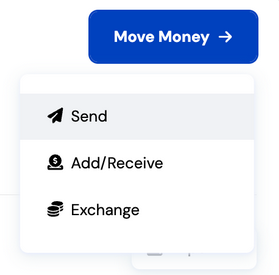
Click "Move Money" on your dashboard, then select "Send."
2. Select or Create a Recipient
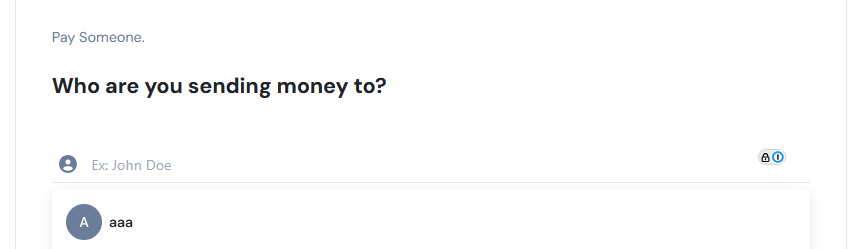
You’ll be prompted to either:
Search for an existing recipient, or
Select “Pay Someone New” to create a new recipient.
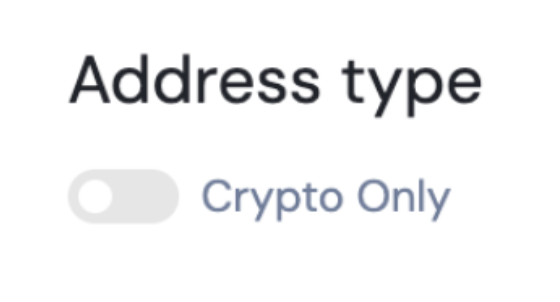
Address Type Setup
Do not toggle either of the switches and input the required recipient details.
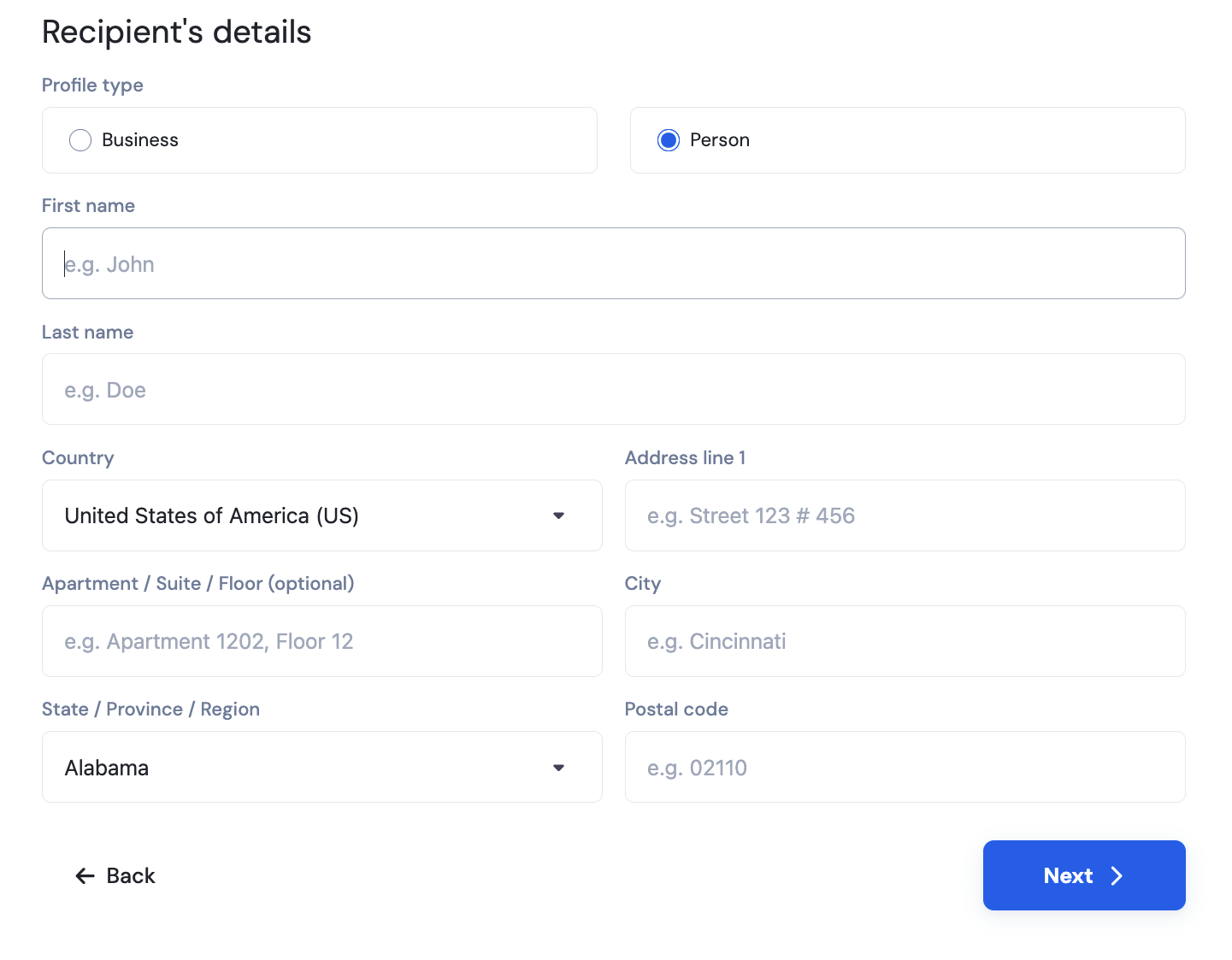
Once saved, recipient details cannot be modified, except for the nickname and email.
3. Choose a Payment Method & Enter Destination Details
After completing the recipient info, click "Next".
Choose "International Wire (SWIFT)" from the dropdown menu and input the banking details of the recipient.
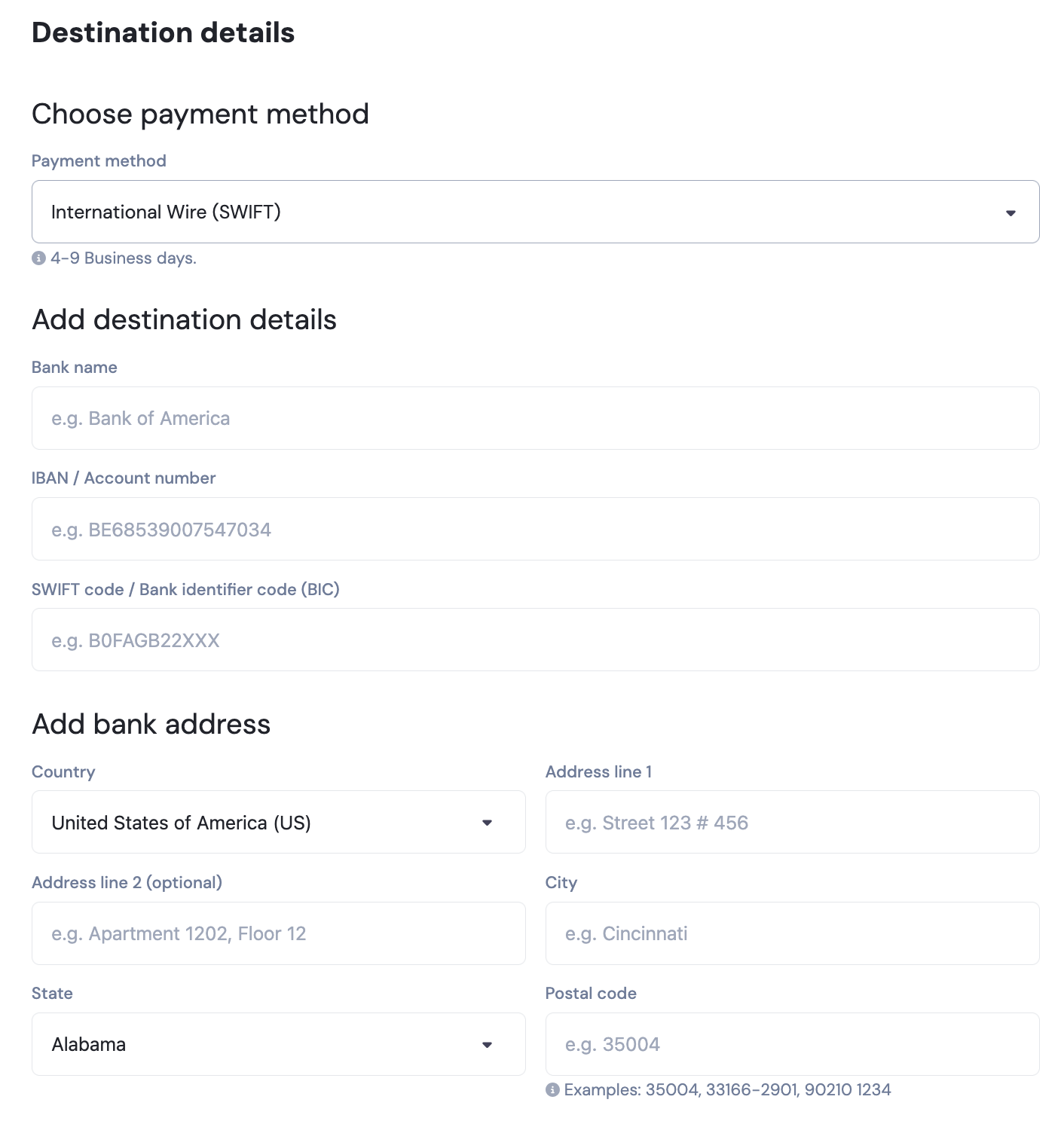
You may also toggle the button below if your recipient's details include an intermediary bank.
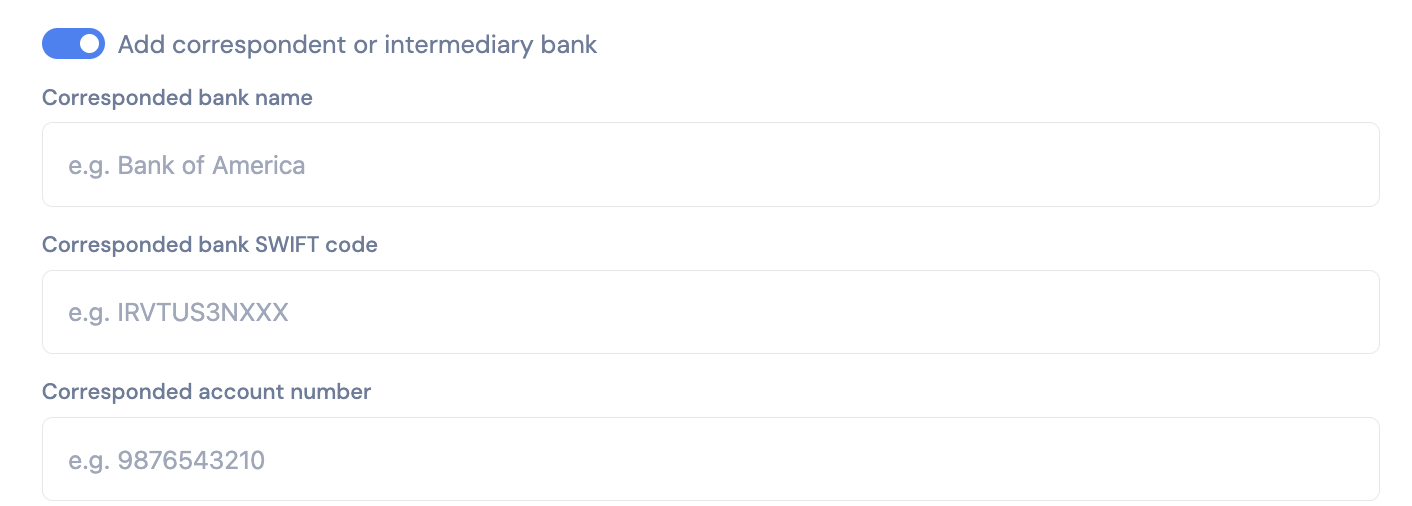
These details cannot be modified after you proceed past this step
4. Enter Transfer Details
Specify the amount you wish to send and click Next.
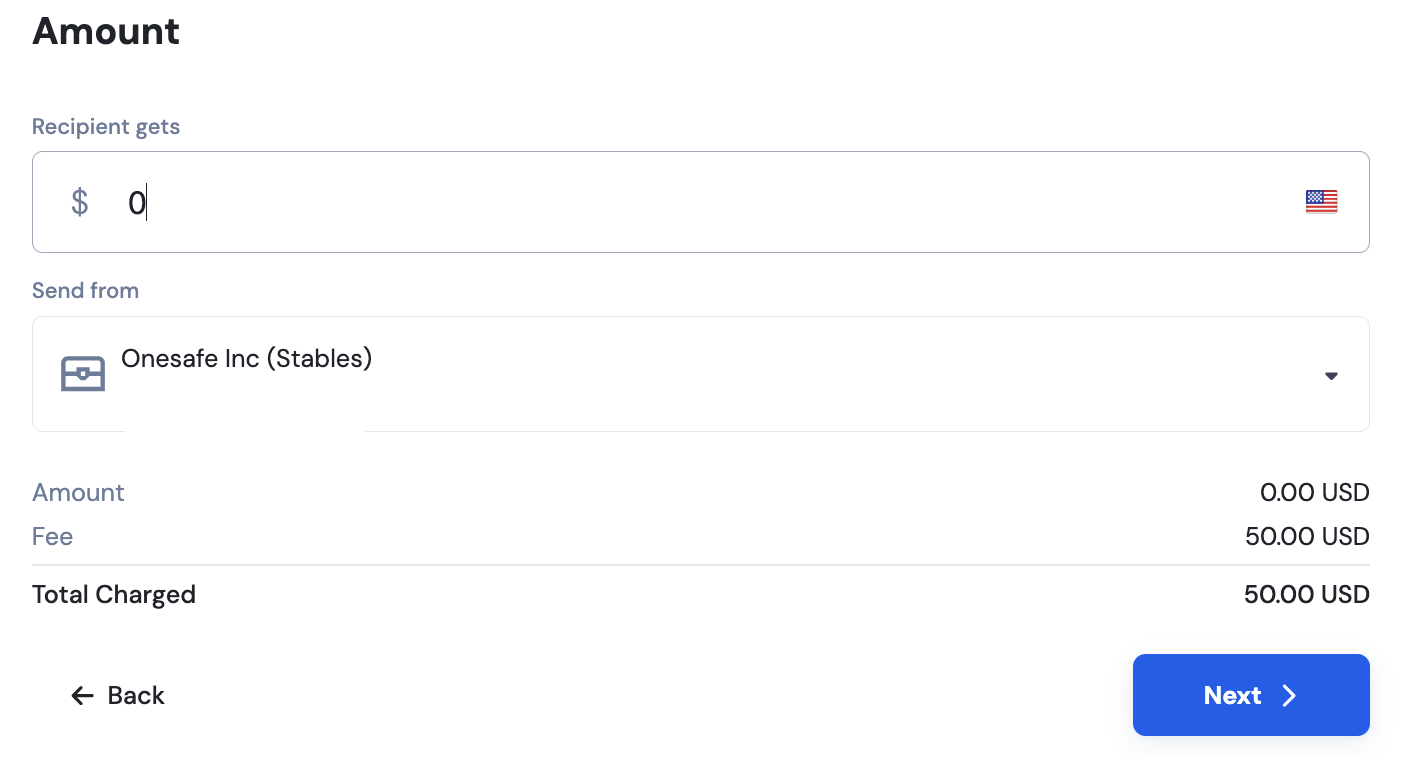
5. Add Additional Information
Select the transfer purpose from the dropdown menu, provide a detailed reason for the payment, include the recipient’s LinkedIn profile or website, and attach the relevant supporting document(s) (e.g., invoice, contract).
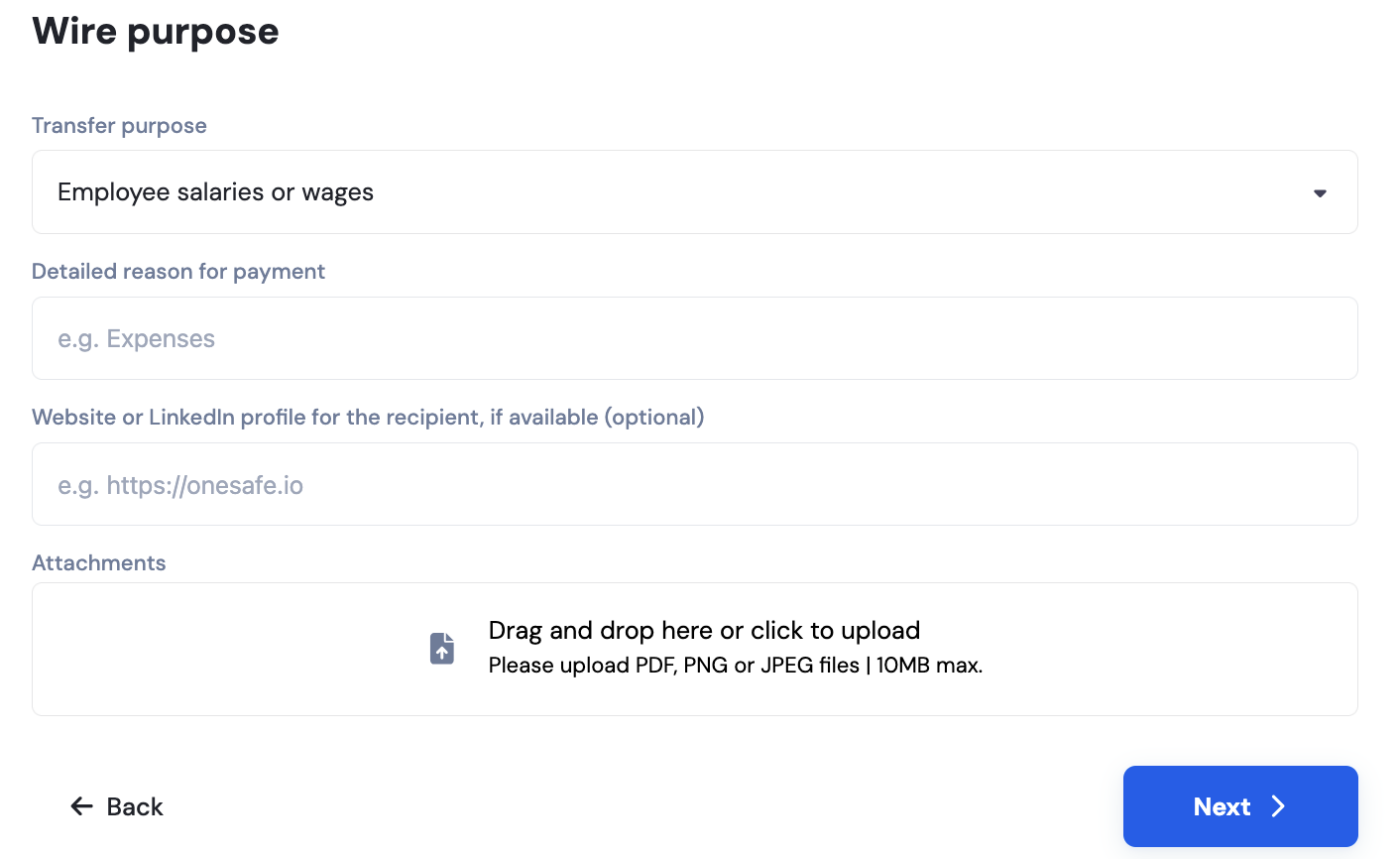
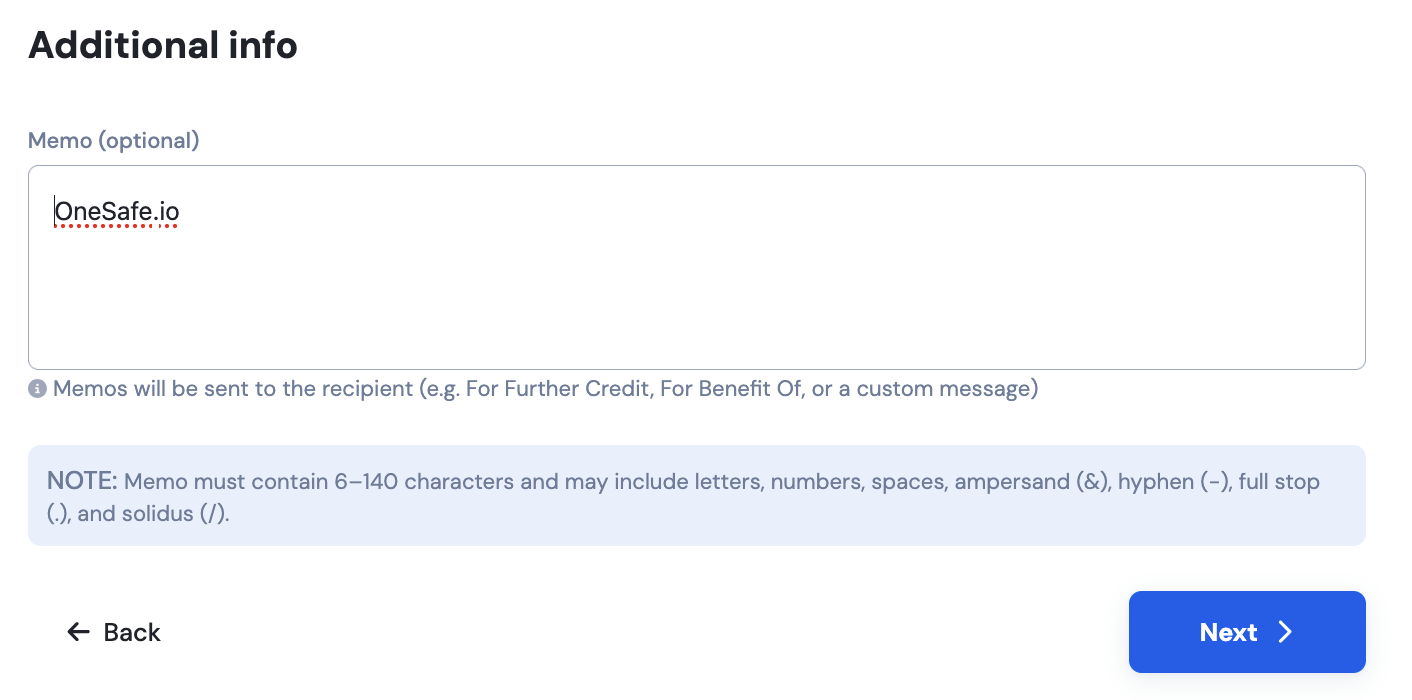
You may also add a memo reference for all transactions.
6. Review & Confirm
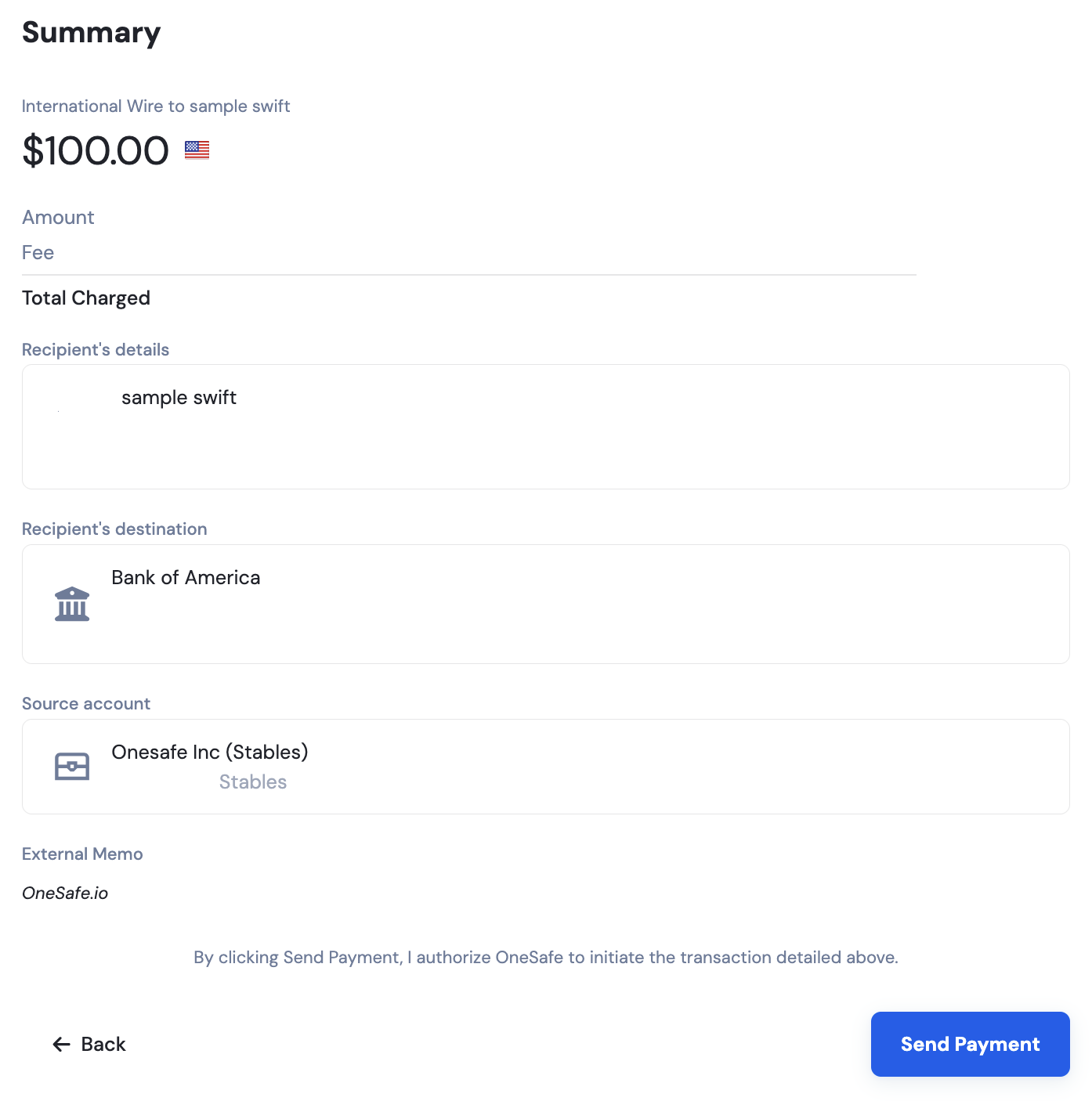
Review the transaction summary shown in the final screen.
If all details are correct, click "Confirm" to complete your withdrawal.
Transfers from OneSafe may not come from your deposit address, and the source address may vary. Please ensure that you only send funds to your own deposit address as shown in your deposit details.