How do I deposit funds into my account?
Last updated: May 20, 2026
(Also answers: “How do I receive money?” and “How do I send funds to my account?”)
You can find your deposit details and receive funds into your account by following these steps:
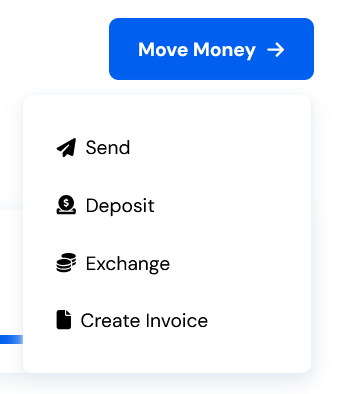
1. Go to Move Money > Deposit
From your dashboard, click “Move Money”, then select “Deposit.”
2. Choose an Account Type
Select Stables Account.

If an account type isn’t available to you, it won’t appear as an option.
3. View Available Payment Methods
Click “Next” to view the supported payment methods for the selected account. Choose your preferred method (Wire, ACH, Crypto, and Local Currency Transfer).

4. Take note of the deposit details
You may now take note of the deposit details of your chosen OneSafe account via your chosen method of deposit.
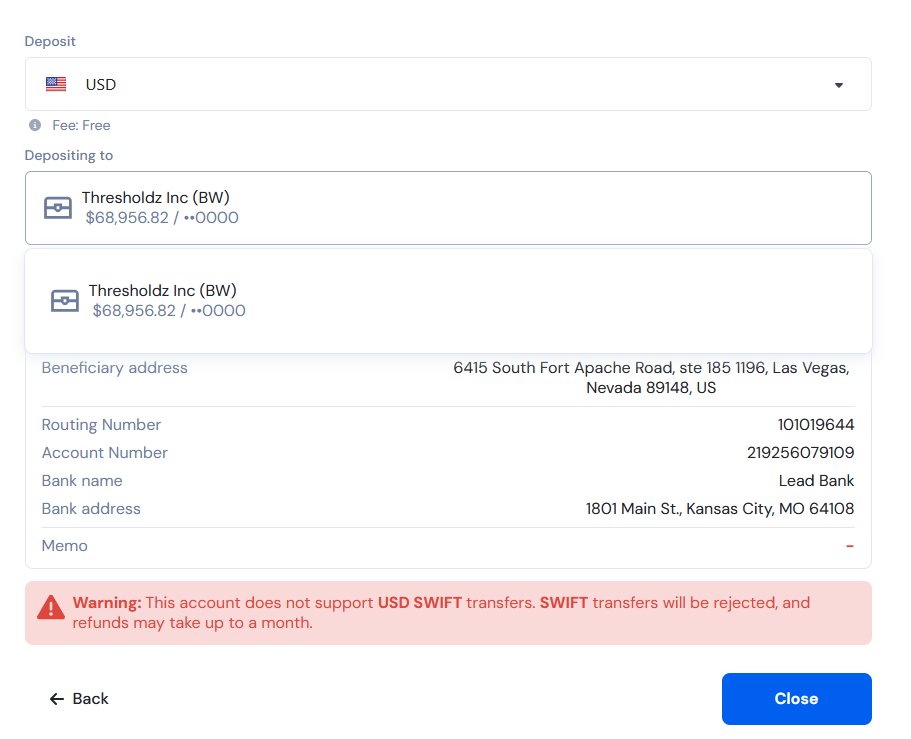
Transfers from OneSafe may not come from your deposit address, and the source address may vary. Please ensure that you only send funds to your own deposit address as shown in your deposit details.