How do I add a user to our organization? Can I invite a user to our team?
Last updated: May 25, 2026
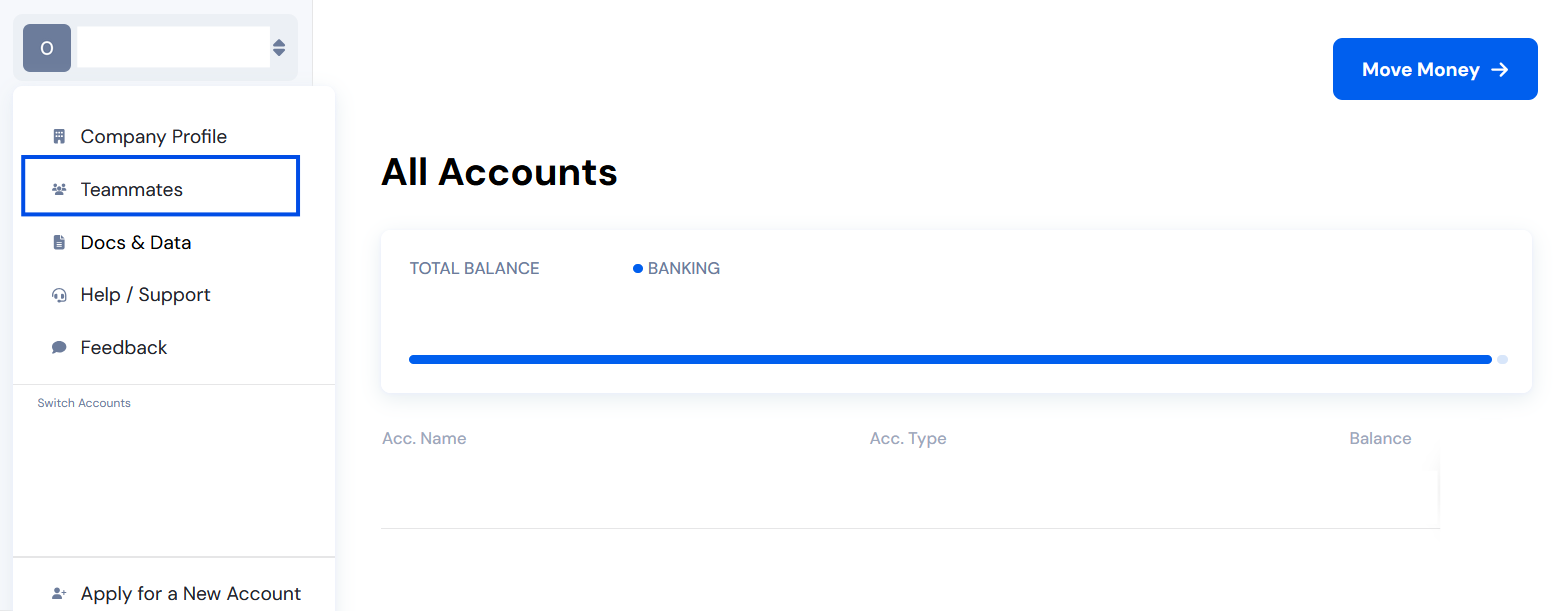
Go to your Organization Menu. Click your organization’s name at the upper-left corner of the dashboard

From the menu, select “Teammates.”
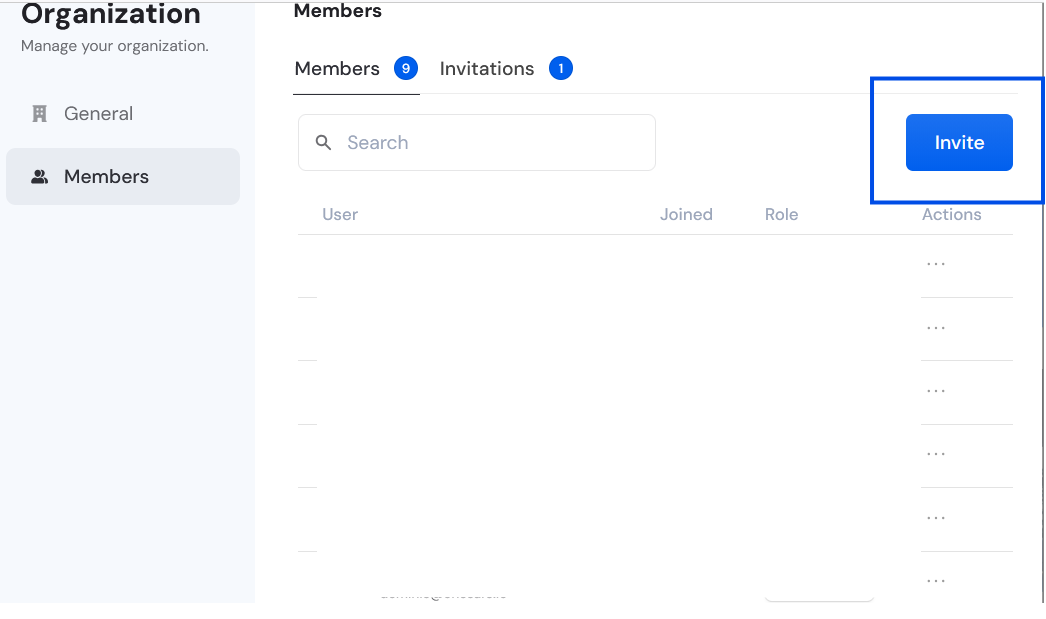
On the Teammates page, click “Invite.”
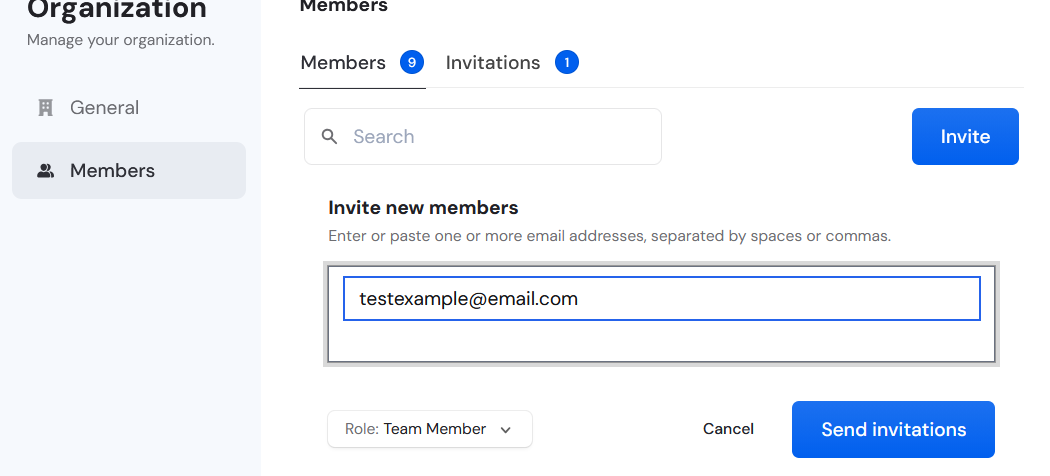
Type the email address of the person you want to invite.
Choose the appropriate role for the user (Admin, Team Member, or Bookkeeper).
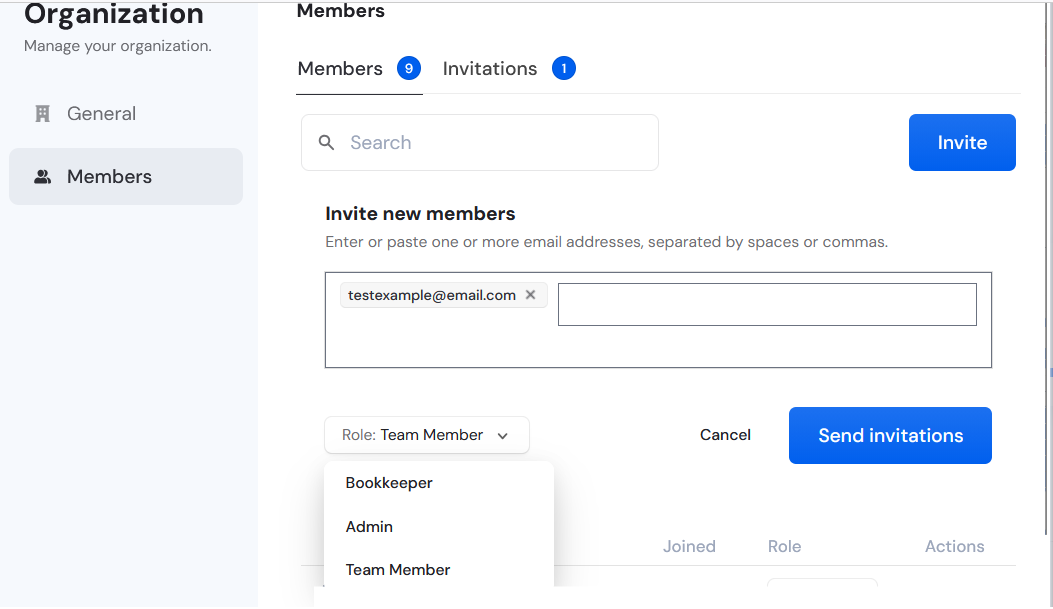
Click “Send Invitations.”
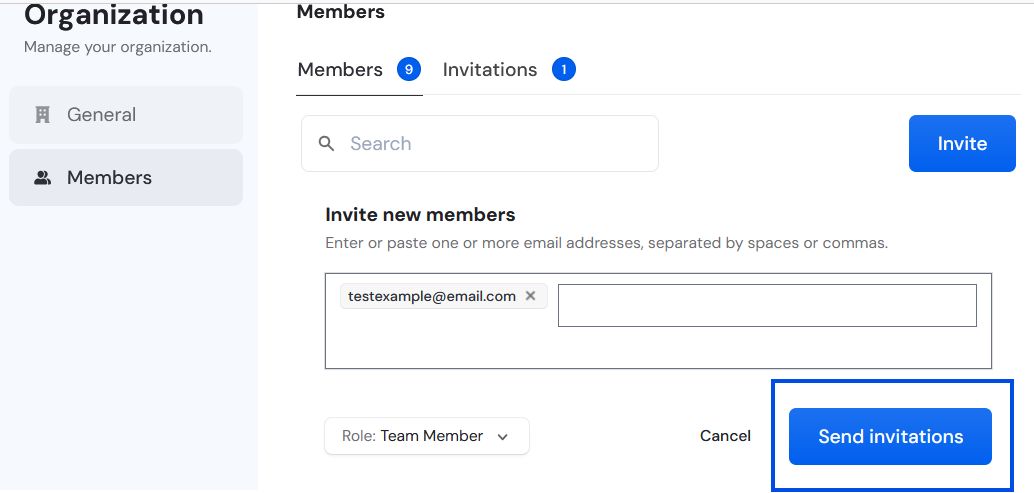
The user will appear in the Invitations list until they accept or decline.