What if I need to revise information or documents in my application?
Last updated: November 13, 2025
If you need to update or correct details in your KYB or KYC forms, follow the steps below.
If you haven’t completed the form yet:
You can reset any of your KYB or KYC forms directly from your OneSafe Dashboard:
Go to app.onesafe.io
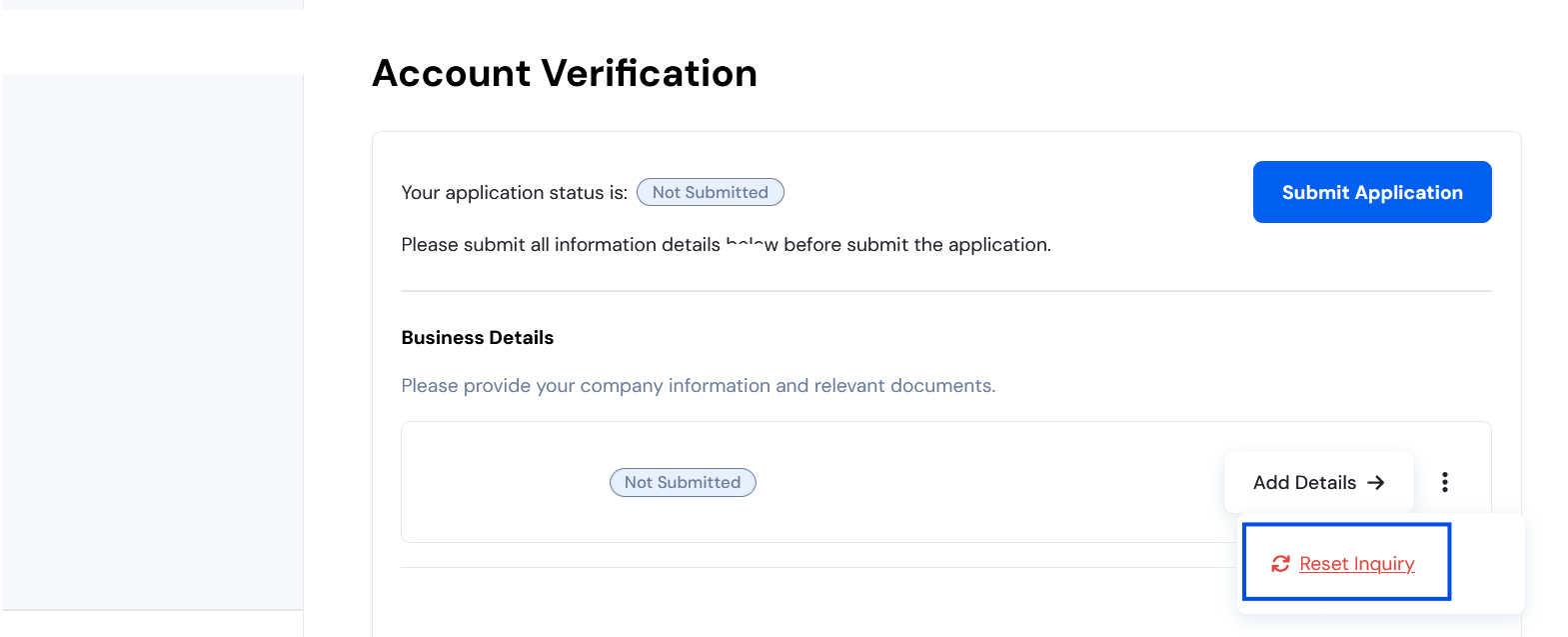
Click the three dots (⋯) beside your application
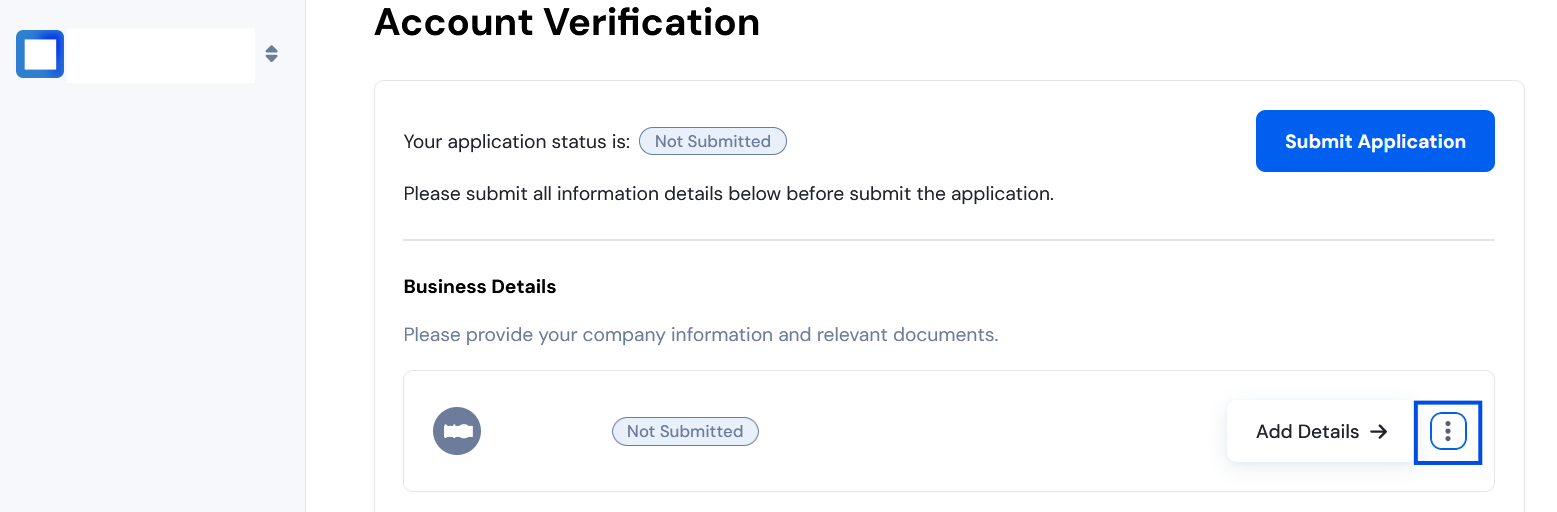
Select “Reset Application”
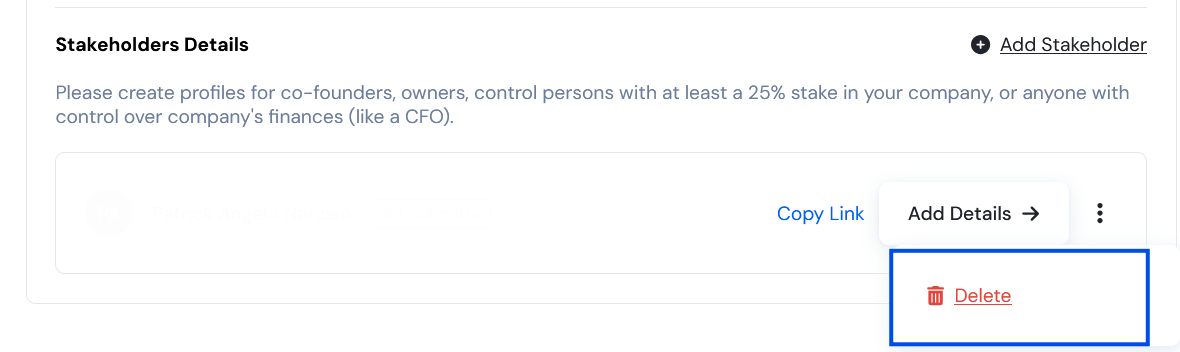
You can also delete added stakeholders by clicking the three dots next to their name and selecting “Delete.”
If you’ve already submitted the form:
If your application has already been submitted, please contact support to make changes.
You can reach us via:
In-app webchat, or
Email: support@onesafe.io
Include the following details in your message:
The email you used to sign up
Your company name
The form type (KYB or KYC)
If it’s a KYC form, specify which owner or stakeholder needs updating
A description of the incorrect or incomplete information
The corrected information or updated document/s
Our team will review and guide you through the next steps.